ASCII · Video · Timeline · SDK

Turn video
into a live stream of
Unicode glyphs

A browser-native ASCII video editor with a multi-track timeline, 227 effects, 132 preset stacks, text layers, AI image generation, a per-frame JS hook and an SDK for embedding into sites, games and presentations. Runs in your browser, all on your device — your video stays with you.

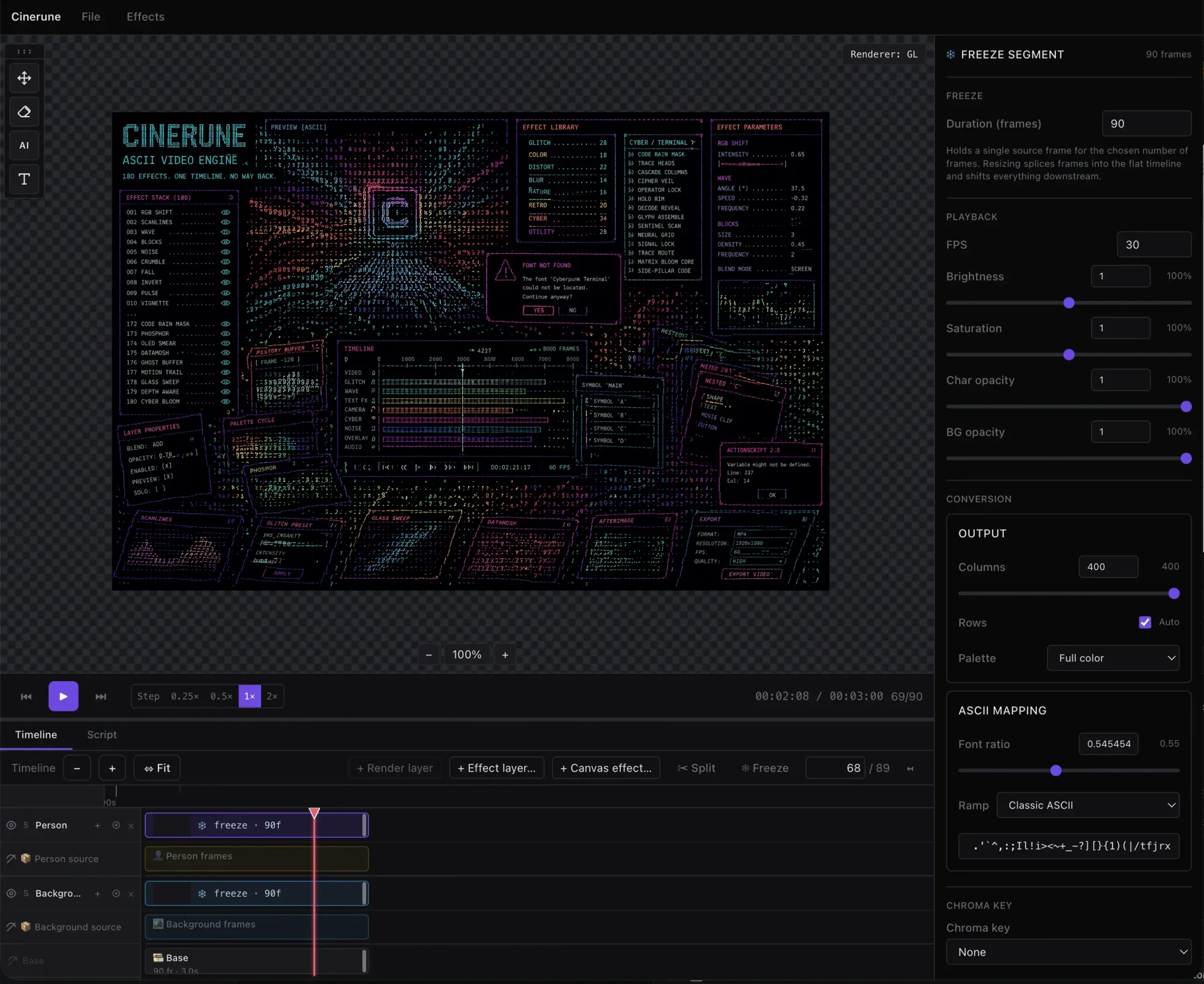
Cinerune ASCII video engine

A full ASCII video editor — timeline, layers, and live effects under your control. Cinerune is a specialized editor where ASCII isn’t the final step — it’s the primary data format. Every frame is stored as a compact binary buffer of glyphs; effects are never baked in, they’re re-applied on every paint.

What’s inside

Numbers reflect the current state of the project’s main branch.

0
effects
character · canvas · overlay · history · sampling · text · signature shaders
0
preset stacks
17 classic + 17 cinema + 31 depth + 4 text + 18 signature
0
glyph ramps
ASCII, blocks, dots, quadrant, braille, shape-match
0
layer source types
video · AI image · text · segmentation
0
export formats
MP4, WebM, APNG, WebP, GIF, PNG-zip, HTML player
227 effects

What they actually do

Every effect named in plain English — here’s what you can build.

Depth & motion mesh

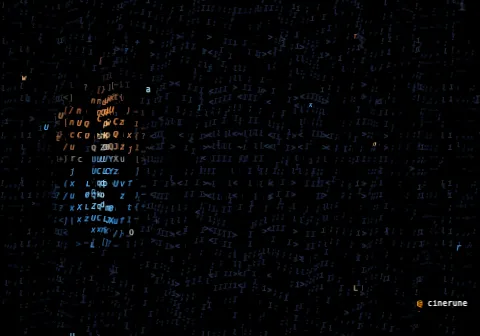
Six new effects that emit per-cell dx/dy/dz the GL pipeline applies as a real perspective transform: fly-through (luma → depth, animate cameraZ to fly into the picture), wave-blanket (radial ripple from a focal point), blanket-shake (1-D travelling wavefront at a chosen angle), jelly-mesh (tap-driven damped oscillator), cloth-drag (drag-point pull with gravity sag), char-arrival (cells fly in from / out to scattered 3-D space, driven by segment progress). They compose by summing offsets, so stack two and the wobble is additive.
Open in IDE →

Glitch & analog noise

chromatic aberration, scanlines, VHS tracking, noise, jitter, line tear, hue drift, venetian stripes — “bad tape” and “broken signal” looks.

Open in IDE →

Text effects

Sixteen per-letter animations for text layers: text-letter-in, text-typewriter, text-scramble, text-wave, text-shake, text-rainbow, text-glitch, text-chromatic, text-vhs-tracking, text-flicker, text-neon, text-hologram, text-marquee, text-decode. All run before rasterization.

Open in IDE →

Terminal & code

Ten code-rain variations: code-rain, cascade columns, trace heads, cipher veil, operator lock, sentinel scan, decode reveal, glyph assemble, bloom core, neural grid — for hacker and sci-fi interface aesthetics.

Open in IDE →

Colour & mood

palette quantize (Green, Amber, ANSI, Game Boy), duotone, tritone, solarize, posterize, threshold, invert — for graphic, poster and noir looks.

Open in IDE →

Distortion

barrel, pinch, ripple, heat haze, twirl, kaleidoscope, smear, spiral pull, tunnel, water flow, blur (cell-level) and canvas-blur (screen-space gaussian) — from a light ripple to psychedelic deformation and soft-focus blur.

Open in IDE →

Trails & persistence

phosphor CRT glow, echo trail, char lag, burn-in, motion trail, datamosh-lite, OLED smear, time slices — “screen memory” and motion-with-a-tail.

Open in IDE →

Mask layers

radial, linear, luminance, image, alpha, edges, motion, depth bands, tracked subject, hand-painted with onion-skin and keyframe tween, and script-driven via player.getMaskLayer(name).setEvaluator(...) — gate any effect (char, history, canvas overlay) by render layer, effect layer, or globally.

Open in IDE →

Mobile aesthetic

OLED latency, pocket glow, notch falloff, status-bar scan, glass fingerprint, thumb-zone dodge — that “shot on a phone, dark mode, OLED” vibe.

Open in IDE →

Portrait / depth

portrait depth, rim portrait, shadow cast, refraction glass, ghost behind, behind rain — each works on the human silhouette and the background independently through MediaPipe segmentation.

Open in IDE →

Occlusion + tracking

Per-cell occlusion-echo, occlusion-light-leak, depth-refraction, interplane-bleed, depth-shadow-cast — five depth effects that read real per-cell visibility-diff and neighbour samples instead of layer-level scalars. Plus a tracking point with damped-spring follower that drives the spotlight to track a moving subject in real time.

Open in IDE →

Reveal & destruction

electric-shock inverts the silhouette cells and fires jagged bolts along the alpha contour. paper-burn eats the layer from a chosen origin with a fiery edge. thermal-vision remaps luminance. old-photo adds sepia, vignette, scratches and dust.

Open in IDE →

Signature shaders

Pure-shader pack with a recognisable visual language: caustic glass (domain-warped refraction with gated highlights), holographic interference (foil iridescence with travelling fringe bands), liquid crystal smear (luma-gated anisotropic drag with optional prior-frame feedback) and thermal refraction (turbulent UV warp around hot zones with a mirage rim).

Open in IDE →

Camera motion

zoom, pan, rotate, orbit, skew, keystone, mirror, split screen, iris, letterbox, shutter wipe, film burn — cinematic language without redoing the edit.

132 presets

Real layer stacks, not black boxes

Every preset is a visible set of layers with real values — open it and edit. Four collections: classic, cinema, depth, text-only.

17

Classic

signature looks
  • Green Terminal
  • Broken Signal
  • ASCII Noir
  • Dream Heat
  • Retro Future
  • Portal
  • Shockwave
  • Digital Horror
  • CRT VHS Feed
  • Graphic Poster
  • Analog Glitch
  • Surveillance
  • Retro Cinema
  • Terminal Operator
  • Terminal Phone
  • Premium Glass
  • Social Native
17

Cinema

recreated film techniques
  • Zolly (Dolly-Zoom)
  • Reverse Zolly
  • SnorriCam
  • Fight Club Lock
  • Rack Focus
  • Split Diopter
  • Crash Zoom
  • Dutch Tilt
  • Iris In/Out
  • Bullet Time
  • Slit Scan
  • Tilt-Shift
  • Terminal Zolly
  • Lock-on Reveal
  • Premium Glass Drift
  • Breathing Zolly
  • Hallucination Zolly
31

Depth

person & depth segmentation
  • Dream Diorama
  • Card Stack Reel
  • Vertigo Punch
  • Hologram Portrait
  • Mobile Parallax
  • Echo Chamber
  • Rim Portrait
  • Refraction Glass
  • Shadow Cast Noir
  • Ghost Behind
  • Behind Rain
  • Glass City
  • Paper Theater
  • Z-Shimmer Stack
  • Ladder Reveal
  • Scan Stairs Cyber
  • Freeze Cut
  • Hinge Reel
  • Depth Noir Stage
  • Surveillance Window
  • Cyber Shrine
  • Layer Peel Hit
  • Orbit Poster
  • Z-Flicker Memory
  • Static Floor
  • Foreground Drift
  • Depth Rim Portrait
  • Parallax Counter-spin
  • Light-Leak Cinema
  • Slice Occlusion Glitch
  • Backplate Glow Safe
4

Text

text layers only
  • Text · Broken Signal
  • Text · Terminal Reveal
  • Text · Neon Marquee
  • Text · Hologram Sci-Fi
18

Signature

shader-first families
  • Glass Cathedral
  • Neon Through Rain
  • Wet Lens Oracle
  • Panic Phone
  • Panel Drift
  • OLED Night
  • Foil Vision
  • Prism UI
  • Luxury Hologram
  • Heat Mirage
  • Burning Core
  • Hot Signal
  • Stream Collapse
  • Codec Panic
  • Bitrate Funeral
  • Banknote Portrait
  • Noir Engraving
  • Drafting Plate
Mask layers

Effect + mask = new visual language

Masks are a separate control plane, not another effect. They output a 0..1 scalar field per cell and modulate any existing effect — where it acts, how strongly, and which of its parameters bend across the frame. Live preview, video / GIF / PNG exports, and HTML bundles all see the exact same field.

12

Sources

where the field comes from
  • Radial
  • Linear
  • Luminance
  • Image (drag & drop)
  • Alpha (cutout)
  • Depth band
  • Confidence
  • Edges (Sobel)
  • Motion (frame diff)
  • Paint (brush + onion-skin + keyframe tween)
  • Script (project script API)
  • Tracked subject (follows tracking point)
3

Targets

what the mask gates
  • Render layer (gate the whole layer's alpha)
  • Effect layer (gate one effect — char or canvas overlay)
  • Auto-stack (one mask, every render layer at once)
5

Composition

stack masks on the same target
  • Multiply (intersect)
  • Max (union)
  • Min (strict intersect)
  • Invert / Opacity per layer
  • Intensity floor (param-bias: keep effect at N%, raise to 100% inside the mask)
7

Use-cases

the looks this unlocks
  • Background-only corruption (depth-far → macroblock)
  • Subject-safe Matrix (invert subject → code-rain)
  • Highlight-only bloom (luminance → threshold-bloom)
  • Shadow-only engraving (invert luma → engrave-hatch)
  • Top-zone rain (linear-top → rain-lens)
  • Motion-only contour (motion → temporal-contour)
  • Scripted reveal (sweep script → decode / paper-burn)
SDK

Programmable

script-driven masks
  • player.getMaskLayer(name).setEvaluator(fn)
  • Per-frame Float32Array, no DOM access
  • Pre-baked offline for video / HTML exports
  • Audio / external-driven via player.meta
  • Renames don't break the binding (id-cached)
  • Same code path: editor preview, exports, embed
16 blend modes

Per-layer blending, identical across editor and embed

Every render layer carries its own blend-mode picker in the inspector. Compositing happens at the layer’s canvas element via CSS mix-blend-mode, so the editor preview, the HTML export and the SDK embed all paint pixel- identical results — no shader fork between platforms, no re-flatten on export.

8

Light & contrast

brightness-driven blends
  • normal
  • multiply
  • screen
  • overlay
  • darken
  • lighten
  • color-dodge
  • color-burn
4

Light shaping

soft / hard / difference
  • hard-light
  • soft-light
  • difference
  • exclusion
4

HSL component

channel-swap blends
  • hue
  • saturation
  • color
  • luminosity
SDK

Embed ASCII scenes in a site, a game, or a keynote

Cinerune exports projects as a .cinerun.gz bundle that plugs into any page via the JS SDK @cinerune/sdk. Effects are applied at runtime, not baked into frames — so you can change them on the fly. The script you wrote in the editor runs in the export and in the embed unchanged.

  • Landing pages, hero sections, interactive promos
  • Menus and cut-scenes in web games
  • Live backdrops for presentations and keynotes (offline)
  • VJ sets driven by Web MIDI at a concert
SDK docs
embed.ts
import { createAsciiVideoPlayer } from '@cinerune/sdk'

const player = createAsciiVideoPlayer({
  mount: document.querySelector('#hero'),
  project,
  frameBuffers,
  autoplay: true,
})

await player.ready()

// Change effects in real time
player.patchEffectParams('terminal-code', 'seg-1', {
  intensity: 0.72,
  glow: 0.3,
})

// Sync with scroll, audio, MIDI
player.applyState({ zoom: 2, playhead: scrollProgress * duration })
ESM

ESM package with types

For React, Vue, Svelte, Solid and any modern bundler.

UMD

Global bundle

A single <script> — drop it into plain HTML, no bundler required.

API

Runtime control

Seek, zoom, patch params, snapshot state, event streams.

New · Script tab

A per-frame JS hook — right inside the editor

The Script tab in the bottom panel (next to Timeline) ships CodeMirror with JS highlighting. Hotkey Cmd/Ctrl + '. You write a hook (player, frame, dt) => void and mutate the player through the same public API the SDK exposes: patchEffectSegment, patchEffectParams, applyState, seekFrame.

  • Debounced recompile on every keystroke. Compile errors and the latest runtime throw show as a status dot and an inline message.
  • Runtime-error budget: after 20 consecutive throws the hook auto-detaches so the console doesn’t drown. Editing the text resets the latch.
  • The same script runs unchanged inside the HTML export and the SDK embed — editor and export share a single attachScript from @cinerune/sdk.
script.js · per-frame hook
// Modulate ripple in sync with the playhead
(player, frame, dt) => {
  const amp = 0.3 + 0.2 * Math.sin(frame * 0.05)
  player.patchEffectParams('fx-ripple', 'seg-1', {
    amplitude: amp,
  })

  // Sync with page scroll (when available)
  const scroll = window.scrollY / window.innerHeight
  player.applyState({
    zoom: 1 + scroll * 0.5,
  })
}
depth & motion mesh

Six effects that bend the grid in 3-D

A new family of effects that don’t recolour cells — they displace them. Each emits a per-cell dx/dy/dz vector; the GL pipeline sums them and applies one perspective transform with a configurable cameraZ and FOV.

01

Load the mesh demo

The editor’s demo picker has a single-image project wired with all six mesh effects in one stack. Open it and toggle the eye icons one at a time to see what each contributes — no video import needed.

Mesh demo: a still picture deformed by stacked motion-mesh effects
The same picture, run through stacked fly-through + wave-blanket + jelly-mesh.
02

The six effects

Each effect computes per-cell offsets independently; the GL pipeline sums them and applies one perspective transform per layer.

  • fly-through — luma → depth, animate cameraZ to fly into the picture
  • wave-blanket — radial ripple from a focal point
  • blanket-shake — 1-D travelling wavefront at a chosen angle
  • jelly-mesh — tap-driven damped oscillator
  • cloth-drag — drag-point pull with gravity sag
  • char-arrival — cells fly in from / out to scattered 3-D space, driven by segment progress
03

They compose by summing offsets

Stack two and the wobble is additive — drop a slow wave-blanket under a fast jelly-mesh for breathing motion under tap response, or animate fly-through’s cameraZ while a cloth-drag tugs the corner. No special compositing flag — just toggle both effects on the same layer.

  • Per-cell vectors: each effect emits its own dx/dy/dz texture; the pipeline sums them before the perspective pass, so two effects can’t fight for the same pixel.
  • Same hot path: mesh offsets are computed in the same WASM crate that converts pixels → glyphs, no extra worker hop per frame.
04

Real perspective, not a fake

The GL vertex pass treats every cell as a point in 3-D space: cameraZ moves the camera, FOV controls the cone, and the per-cell dz drives a real z-divide. Animate cameraZ from 3 to 0.2 on a fly-through layer and you get a true dolly-in, not a 2-D zoom.

The HTML export bundle reads cell depth from the binary stream and runs the same vertex shader, so a baked fly-through looks pixel-identical to the editor preview.

depth & tracking

Per-cell depth + spring-driven tracking

Five depth/occlusion effects rewritten to read real per-cell visibility-diff and neighbour-layer samples instead of layer-level scalars — plus a manual-keyframe subject tracker with damped-spring follower that drives any lockX/focusY-style parameter.

01

Load the demo

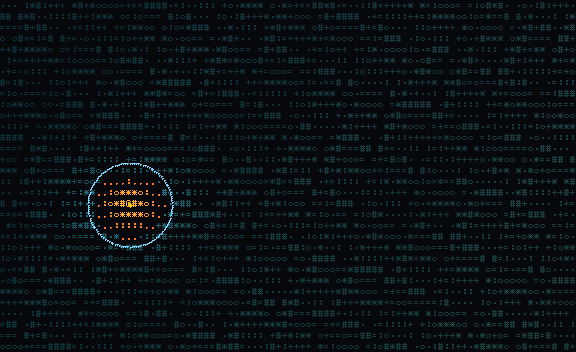
The editor's demo picker has a synthesised two-layer project — moving subject + inpainted plate — wired with all five depth-occlusion effects plus a spotlight. No video import needed.

Subject on the left side of the frame with the spotlight tracking it
Frame 12: subject on the left, spotlight already locked on through pre-baked tracking.
02

Spotlight follows the subject

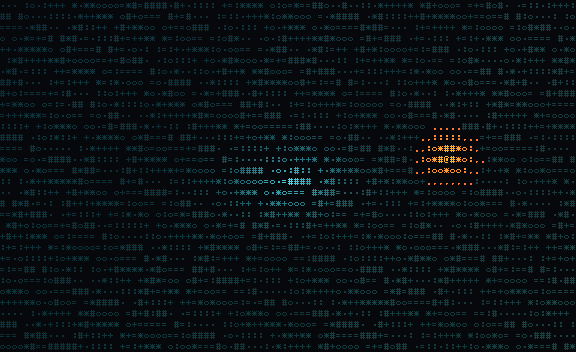
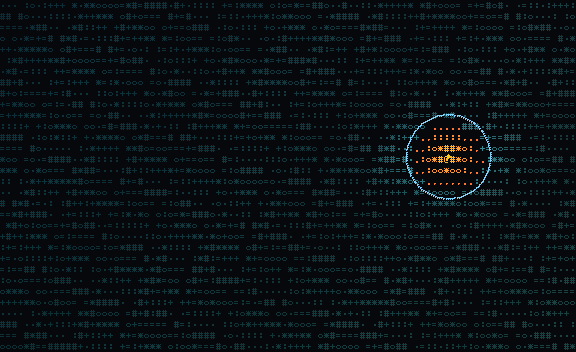
A pre-baked tracking point ships with 16 keyframes along the subject's trajectory; focusX and focusY are bound to it. Compare with vs. without — same frame, same subject position, but the spotlight only tracks when the binding is active.

Spotlight stuck at the centre while the subject has moved off
Without tracking: spot stays at focusX/Y = 50/50
Spotlight following the subject to the right
With tracking bound: spot follows the subject
03

Edit it from the inspector

The ⊕ Tracking button on the timeline toolbar swaps the inspector's per-segment view for a tracking control panel: add / delete points, keyframe positions by clicking on the preview, and wire points into effect params with either a pos (raw position) or spring (damped overshoot + settle) transform.

  • Highlighted button when the selected segment lives on a layer that already has bindings — no need to open the panel just to check.
  • Per-binding transform: swap pos for spring on a binding you already have to add overshoot to a previously snappy follower.
  • Sparse keyframes: set 3-4 keyframes, the resolver linearly interpolates everything between. Sparse data is enough.
04

Compare the five depth effects

All five depth/occlusion effects ship in the demo, but only the spotlight is enabled by default. Toggle the eye icons one at a time to see what each contributes:

  • occlusion-echo — per-cell brightness lift on freshly revealed cells (visibility-diff)
  • occlusion-light-leak — warm tint on the same revealed-cells channel
  • depth-refraction — per-cell row/col offsets driven by the depth-map gradient (Sobel kernel)
  • interplane-bleed — per-cell brightness mix toward the neighbour layer's luma at the same coordinate
  • depth-shadow-cast — per-cell dim where a closer-camera neighbour has high alpha (silhouette-shaped shadow)

On layers without their own per-cell mask (single-layer projects, metadata-only depth split) every effect transparently falls back to the original scalar approximation — no regression on existing projects.

provenance

Sign every frame when you’re logged in

Sign in once and Cinerune cryptographically signs every rendered frame — Ed25519 over per-cell content hashes, verified live by WASM. Anonymous exports get a watermark; signed exports don’t, and a viewer can confirm who minted the bundle without trusting our server.

01

One key per account, derived from a master secret

The first time you sign in the server runs HKDF over its master secret and your user id and produces a deterministic Ed25519 keypair — no key-generation event, no per-export key churn. Re-derive on any future call: same input → same keypair → same public key.

  • Domain-separated: info = "cinerune-user-ed25519-v1" in the HKDF expand step. Bumping the version means cutting a new generation of keys deliberately, never by accident.
  • Public key ships with the export: a downstream verifier doesn’t need to call our API to check a signature.
02

Per-leaf Merkle tree, batched 24 frames at a time

The editor hashes each frame’s source cells — before effects and watermark — into a 32-byte leaf, groups 24 leaves into a Merkle tree, and asks the server to sign the root. One Ed25519 signature covers 24 frames; per-leaf paths come back with the response so any single frame can be verified independently.

  • Source frame, not render output: hashing before the watermark draws means the live preview can drop the watermark the instant a signature lands — no stale frame painted with an outdated proof.
  • Self-verify in the browser: the editor re-runs Ed25519 verification client-side as a diagnostic before trusting a server response.
03

WASM verifies, watermark drops

Inside the render loop, WASM rebuilds the Merkle root from the leaf + path, verifies the Ed25519 signature against the embedded public key, and only then sets skip_watermark = true. No proof, wrong proof, or no public key → watermark draws as usual.

The IDE preview surfaces the gate state as a small ✓ signed as [email protected] badge so you can see the watermark removal isn’t a UI bug.

04

HTML exports carry the proofs offline

When you export to HTML, every signed batch — root, signature, per-leaf paths, content hashes — gets baked into meta.signatures alongside the public key and (opt-in) signer email. The standalone player wires the payload through the same WASM verifier, so the watermark gate works without our server in the loop.

  • Tamper-resistant identity: the bundled email is also covered by an Ed25519 attestation over a canonical JSON of email + plan + projectId + issuedAt. A viewer who doesn’t trust the bundled field can re-verify the attestation offline.
  • “Signed by” footer: the player reveals a <div id="signedby"> in the exported shell when a signer is present — fast-lookup chrome that sits next to the cryptographic proof, not in front of it.

Text-only projects skip the watermark overlay altogether — there’s no per-cell content stream for an attacker to swap, so the gate has nothing to defend.

Under the hood

Built for sub-millisecond frames

Every frame travels the same hot path: WASM (SIMD128) converts pixels → ASCII in sub-millisecond time, a worker paints into an OffscreenCanvas, the result comes back as a zero-copy ImageBitmap. The main thread stays free for the editor UI even under heavy effect stacks.

WASM ASCII pipeline

A Rust crate compiled with wasm-bindgen packs every RGBA frame into a 6-bytes-per-pixel ASCII binary in sub-millisecond time on the no-effect baseline (14K cells, 128×110). No ffmpeg.wasm, no COOP/COEP headers required.

WASM SIMD128 + bulk memory

The converter is built with --enable-simd and --enable-bulk-memory turned on at the wasm-opt pass. Lane-parallel pixel math, fast copies, baseline support in every modern browser.

WebGL2 shader passes

Signature shaders and decorative overlays (caustic glass, holographic foil, lightning, starfield, rounded corners) compile to WebGL2 fragment programs and run on the GPU — CPU stays free for the ASCII grid.

Two dedicated workers

One worker owns the WASM converter, another owns an OffscreenCanvas and paints the ASCII grid. The main thread never blocks on conversion or rendering, so the timeline, inspector and gizmo stay at 60fps under heavy stacks.

Zero-copy frame transfers

Painted frames come back to the main thread as ImageBitmap via transferToImageBitmap(). History rings (used by phosphor, echo and time-slice effects) are pre-concatenated into a single contiguous Uint8Array and transferred — no structured-clone tax per frame.

HW decode + GPU segmentation

Source video plays through the native <video> element with hardware decode on supported machines. MediaPipe person/depth segmentation runs on the GPU delegate. The pipeline never falls back to CPU JPEG decode or CPU inference.

Sources

Beyond video: four layer-source types

Any timeline layer can pick its own source — video, an AI-generated image, text, or a depth band.

01 · Video

Video or frame sequence

Drop in a photo or video — and go. Everything runs locally, with hardware acceleration.

02 · AI image

AI image generation

Generate images right in the browser through OpenAI or Gemini Image API. The prompt, model and transparency flag live in the layer’s metadata, so you can reopen the layer and regenerate without retyping anything. Your keys, your images.

03 · Text

Text layer

A first-class timeline layer with its own offscreen canvas (font family, size, colour, bold/italic, alignment, letter- and line-spacing). A transform gizmo appears on the preview (move, rotate, scale). Typographic effects run before rasterization — clean, no ASCII artifacts.

04 · Segmentation

Person / background segmentation

The MediaPipe segmenter emits foreground and background as two independent layers you can effect separately. Three quality tiers (fast / balanced / high-quality), GPU delegate. One click in the base layer’s settings and Person / Background layers appear on the timeline.

Other features people love

Multi-track timeline

A base track plus unlimited effect layers. Cut, drag edges, freeze frames, mint freeze-slices in the middle of an effect.

Depth on MediaPipe

Built-in person segmentation with background reconstruction, three quality tiers, GPU delegate. Parallax, rim lights and occlusions without a green wall.

Smart chroma key

On import we scan the first frame for the dominant backdrop and save the exact tint as a custom RGB key — more reliable than canonical “Green / Blue” presets.

11 glyph ramps

Classic ASCII, blocks, half-blocks, dots, mixed Unicode, plus quadrant 2×2, braille 2×4 and shape-match by cell geometry.

8 export formats

MP4, WebM VP9 (including 4:4:4 with alpha), APNG, animated WebP, GIF, PNG-sequence in zip, and a self-contained HTML player.

Privacy by architecture

The full pipeline — decoding, conversion, rendering, export — runs on the client.

Text layers with a transform gizmo

Text isn’t an overlay pasted on top of the preview — it’s a first-class timeline layer. On the preview you get a transform gizmo (move, rotate, scale), font parameters live in the right panel, and typographic effects run before rasterization — clean, no ASCII artifacts.

AI image generation

OpenAI or Gemini Image API right from the browser. Prompt, model and transparency flag are saved into the layer’s metadata — reopen the layer to regenerate without retyping the prompt. Your keys, your images.

Typical use cases

01

Live release announcement

Terminal code-rain over your avatar → export to WebM with alpha → straight into stories or After Effects.

02

Music video

17 cinema presets give you Dutch Tilt, Bullet Time and Zolly without re-editing the cut. Change a segment — the whole stack re-renders live.

03

Hero section with reactive text

Premium Glass + Depth Hologram under an AI-generated image, text layer on top with text-glitch and text-decode. A JS hook drives effect intensity from scroll. Export as .cinerun.gz → SDK → a live backdrop lighter than a looping mp4.

04

Interactive promo or a game menu

Drive the player through the API: change effects on hover, sync with scroll, serve different states to different users.

05

Presentation or keynote

A single-file HTML runs on any laptop without internet, serves as the slide’s backdrop.

06

Concert / VJ set

The SDK accepts external events — drive effects from a controller or Web MIDI.

07

Social / mobile content

The stack oled-latency + pocket-glow + notch-falloff + status-bar-scan nails the “shot on a phone at night” vibe. Add a text layer with text-marquee or text-scramble for captions.

08

Cinematic titling without After Effects

Text layer + text-letter-in / text-wave / text-hologram / text-chromatic — a full animated typography pipeline right in the editor, exported with alpha.

Why it’s convenient

Free

Open in a browser and start working.

Private

Your video never leaves the device. Everything runs locally.

Just a tab

Runs in any modern browser. A single-file HTML is available for offline use.

Embeddable

The result plugs into your product through the SDK, not just hands you an mp4.

Video. Text. ASCII. Timeline.
Scripting. SDK. In the browser.

Open the editor right now — no sign-up, no install, no upload.