camera-zoom
For the slow push that tells the audience to lean in. The realisation crossing a face. The detail the whole scene was actually about.
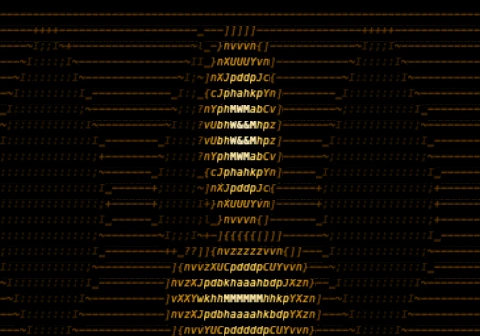
demo.cinerune — camera-zoom over Cinerune’s code-assembly plate.
What it’s for
The push-in is one of the oldest emotional tools in cinema and
it still works because the audience feels it before they notice
it. camera-zoom scales the canvas from
zoomStart to zoomEnd across the whole
segment, driving toward a focal point you place anywhere in the
frame. It isn’t a cut and it isn’t a pan — it’s
the room slowly closing in, or opening up, while nothing else
appears to move.
A long, almost-imperceptible creep is dawning understanding. A
fast snap is a punch line, a jump scare, a reveal. Reach for
this when: a moment needs to gain weight without a single edit
inside it. Set focusX and focusY on
an eye, a hand, a single glyph, and the whole frame
recomposes around it as you travel. Reverse the values for the
pull-back that ends a scene by abandoning it.
The curve is where the feeling lives. Linear
is mechanical, surveillance-cold. Ease is a human
camera operator. Step is the snap-zoom of grindhouse
and kung-fu. Pulse breathes in and back out — a held
breath, a heartbeat under the shot.
Where it lives in the app
Effects tray, group Camera. Add it to a layer and it animates over the segment’s duration. Gate it with a mask layer when you want only part of the composition to travel while a foreground element stays locked in place.
Parameters
| Key | Range | Default | Effect |
|---|---|---|---|
zoomStart | 100–400% | 100 | Scale at segment start |
zoomEnd | 100–400% | 150 | Scale at segment end |
focusX | 0–100% | 50 | Point the zoom pushes toward, X |
focusY | 0–100% | 50 | Point the zoom pushes toward, Y |
curve | Linear / Ease / Step / Pulse | Linear | Easing of the zoom over time |
Pairs well with
- twirl — push in while the vortex tightens and the shot stops being a zoom and becomes a fall into the frame.
- phosphor — the slow travel leaves an afterglow trail behind it, turning the move into a long, deliberate streak of light.
- code-rain-mask — push into the rain and the wall of falling code opens into a tunnel you’re dropping down.
- text-glitch — snap-zoom on a Step curve into a glitching headline and the reveal lands like a physical hit.
Demo project
The downloadable demo.cinerune
is this single effect applied to Cinerune’s bundled
code-assembly plate — an amber procedural portrait — with a
focal point set so the push has somewhere to go. Drop it into
the editor (File → Open from disk…) to tweak
parameters live. The frame shown above is exported from the
same project.