radial mask
A spotlight, but the kind that doesn’t hide what’s in the dark. Soft inside, breathing outside. The frame says “look here” without losing the room.
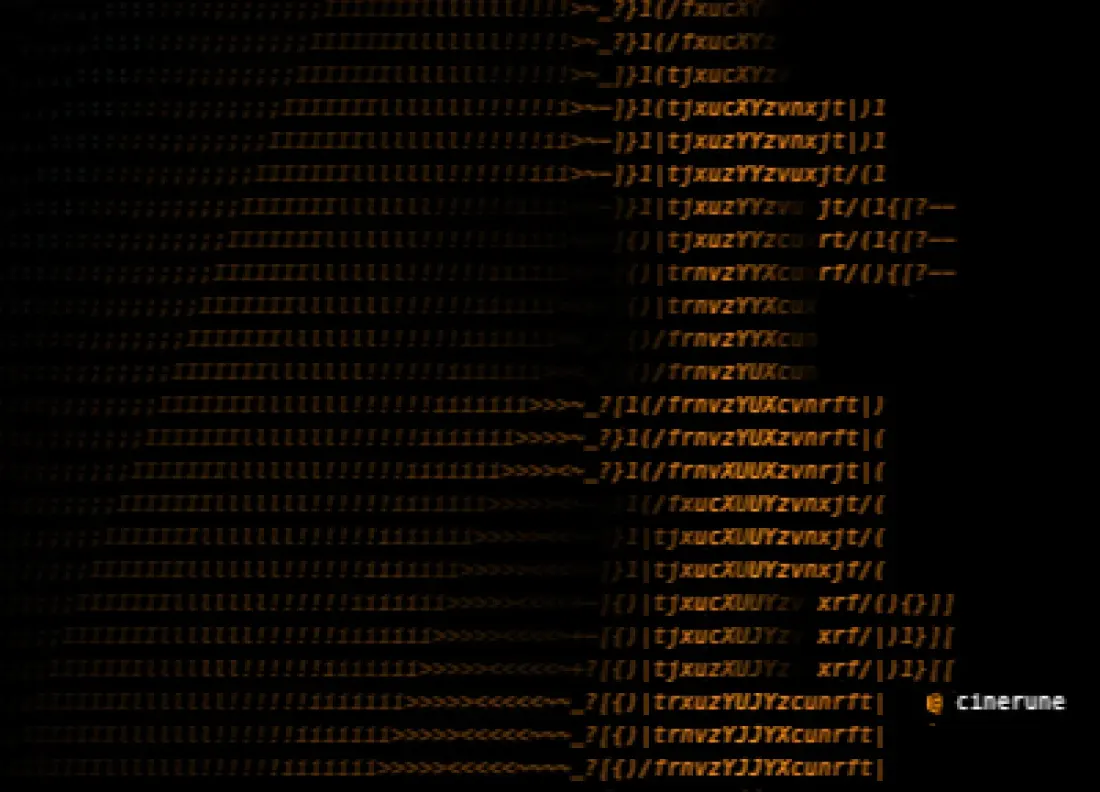
demo.cinerune — three masks compose with max; the radial one is the inner soft disc.
What it’s for
Old-school theatre directors knew this trick a hundred years before they had to argue about it on a film set: drop the stage lights, put a single soft circle on the one person who matters, and the audience’s eye goes exactly where you want it without you ever having to crop. The frame still contains everything; the attention contains one thing. A good radial mask is just that, ported to ASCII.
Inside the disc, the effect runs at full intensity.
Outside, it fades smoothly to intensityFloor —
which is the part most people miss. The periphery isn’t
off, it’s dimmed. The chromatic aberration
still murmurs at the edges; the glitch still rumbles in the
corners; the background is alive but quiet. Everything
outside the spotlight is part of the world your subject is
standing in, not a black hole.
Reach for this when: a face needs to be readable in a noisy scene; a single headline has to survive a glitch pass; an end-frame wants to close in on one detail without cutting to a tighter shot; you want the “iris-in” energy of silent cinema without the corny circular wipe.
Where it lives in the app
Add from the Masks panel. The mask appears as its own layer
on the timeline; assign it to one or more effects by setting
their target to point at this mask layer.
Parameters
| Key | Range | Default | Effect |
|---|---|---|---|
cx | 0–1 | 0.5 | Horizontal centre (0 = left, 1 = right) |
cy | 0–1 | 0.5 | Vertical centre (0 = top, 1 = bottom) |
radius | 0–1 | 0.35 | Disc radius as fraction of frame diagonal |
softness | 0–1 | 0.25 | Feather width of the edge falloff |
Drive it from a tracking point
Pair the mask with a tracking point so the spotlight follows a moving face:
const mask = player.getMaskLayer('spot')
const track = player.getTrackingPoint('face')

mask.setEvaluator((frame) => {
  const { x, y } = track.sample(frame)
  return { cx: x, cy: y, radius: 0.25, softness: 0.3 }
})
Pairs well with
- text-glitch — center stays crisp, edges fall apart. The reader keeps reading while the frame keeps misbehaving. Pure tension.
- chromatic aberration — eye-strain at the edges, clear vision in the middle. The look of a memory you’re trying very hard to recall.
- tracked subject — the spotlight follows a face across the frame. Old film-noir interrogation energy: nowhere to hide except the dim outside.
- phosphor CRT glow — burn-in concentrates on the bright spot; the rest of the screen breathes softly. Reads like an old monitor someone’s been staring at all night.
Demo project
The downloadable demo.cinerune
is the Mask layers — combined demo: three masks compose with
max to gate one effect-stack. The radial mask is
the soft inner disc; pair with the painted “M→S”
and the script-driven expanding ring to see how procedural,
painted and scripted masks live together on the same render
layer. Drop into the editor via File → Open from disk….